Quick answer: yes for some teams, no for plenty of others
I spent time breaking down Moz Pro the way I usually test any SaaS I might actually pay for. Not from the homepage promises. From the plan limits, the workflow friction, the gaps, and the stuff that saves time when you are in the middle of real SEO work.
The short version: Moz Pro can still be worth it in 2026, but mostly for small teams, consultants with a steady client base, and site owners who want one decent all-around SEO toolkit without juggling five separate products. If you are comparing pure rank tracking, deepest backlink data, or heavy-duty technical crawling, there are tools that beat it in specific areas. If you want an all-in-one setup that is easier to live with than some of the enterprise monsters, Moz still has a lane.
The plan most people end up looking at is the $199 tier, because that is where Moz starts feeling like a real working tool instead of a trial with training wheels. So I focused on that. What you actually get. What feels useful. What feels dated. And whether the math works if you are paying out of pocket.
What the $199 plan is trying to be
At this price point, Moz Pro is basically selling convenience.
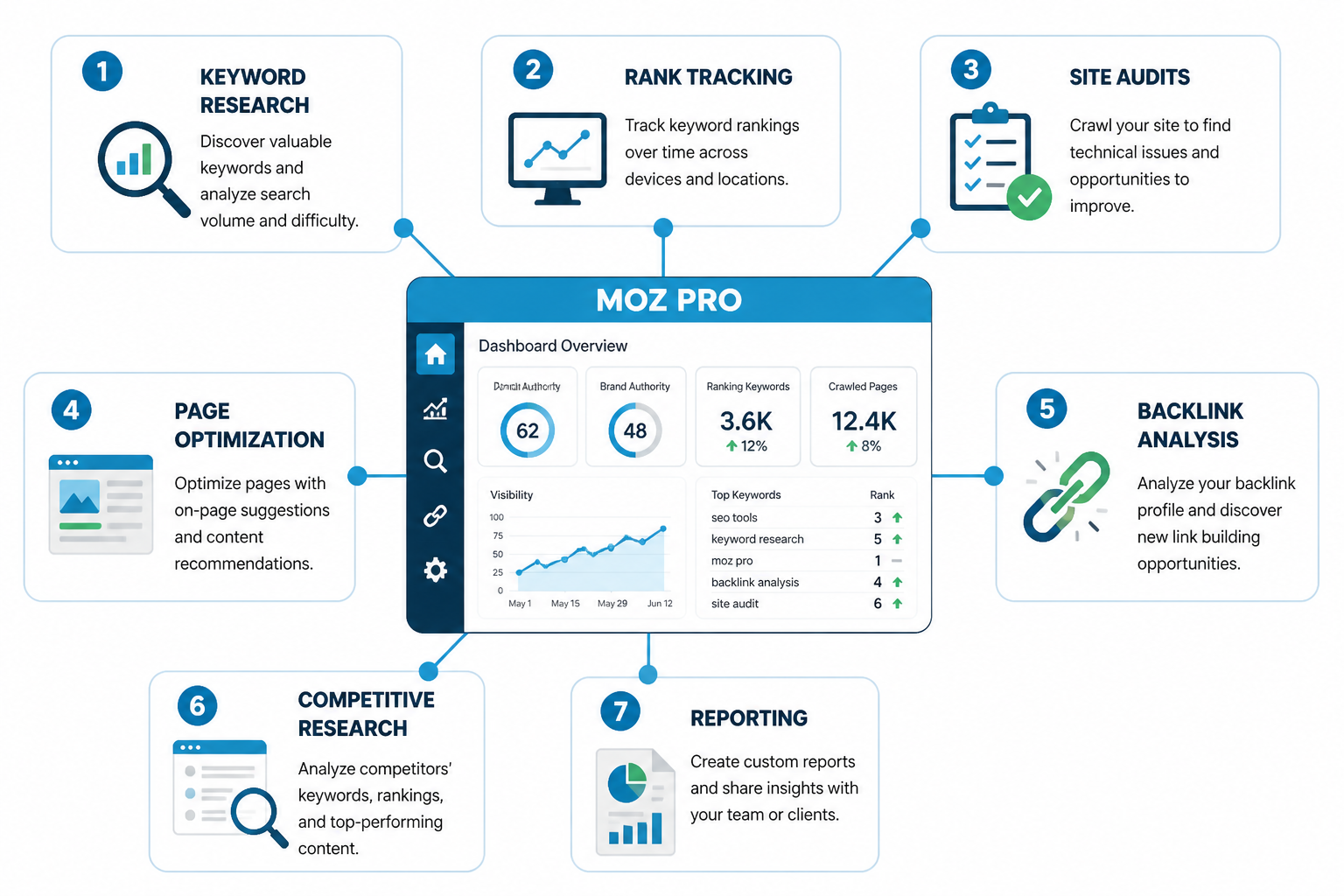
You are not buying the single best keyword database on the market. You are not buying the most aggressive crawler. You are not buying the biggest backlink index. You are buying a bundle that covers the core SEO jobs in one account:
- keyword research
- rank tracking
- site audits
- page optimization suggestions
- backlink analysis
- competitive research
- reporting
That bundle still matters. A lot of indie builders and small agencies do not need the absolute best-in-class tool in every category. They need something good enough that keeps them moving.
That was my frame going in. I was not asking, “Is Moz the king of SEO software?” I was asking, “If I am paying $199 a month, does this remove enough manual work to justify staying subscribed?”
Sometimes the answer was yes. Sometimes it really was not.
What you actually get on the $199 plan
Plan details can shift, so always check the current pricing page before you buy. But at a practical level, the $199 plan usually sits in the “serious small business or consultant” zone. Enough room to track multiple campaigns and run recurring audits, but not unlimited anything.
Here is the part that matters more than feature bullets: how those features behave once you are using them every week.
| Feature area | What it does well | Where it feels limited |
|---|---|---|
| Keyword research | Good for finding topics, estimating difficulty, and building content plans | Less depth than the biggest keyword platforms |
| Rank tracking | Clean reporting and easy campaign setup | Can feel restrictive if you track lots of terms across many locations |
| Site audits | Clear issue reporting for common technical SEO problems | Not as flexible or deep as dedicated crawlers |
| Backlink analysis | Useful for general link review and competitor snapshots | Often not the first choice for link building-heavy teams |
| On-page optimization | Helpful for content teams that want guided recommendations | Suggestions can feel formulaic if you already know what you are doing |
| Reporting | Simple enough for client-facing updates | May feel basic if you need custom dashboards |
That table is basically my experience in one screen. Moz is good at giving structure to recurring SEO work. It is weaker when you push into specialist workflows.
Keyword research was solid, just not exciting
I started with keyword research because that is usually where I can tell if a tool wants to help me think or just throw data at me.
Moz still does a nice job of making keyword research feel approachable. Search volume, difficulty, organic CTR estimates, and priority scoring give you enough to make decisions without drowning in tabs. For a solo site owner or content lead, that matters. You can move from idea to rough content plan quickly.
Where it got a little flat for me was depth. When I was trying to build bigger topic clusters or map content across a wider set of variations, I wanted more. More keyword angles. More SERP nuance. More ways to slice intent patterns. Moz can get you to a publishable plan. It just does not always give you the richest landscape view.
That does not make it bad. It makes it “good enough for practical planning, less exciting for power users.”
If your SEO workflow mostly starts with “I need 20 good opportunities for the next month,” Moz works fine. If it starts with “I need to map an entire content moat across thousands of terms,” you may outgrow it.
Rank tracking is one of the easier wins
This was one of the cleaner parts of the product for me.
Getting campaigns set up was straightforward. Rankings were easy to review. Reports were understandable without a bunch of setup work. If you are sending updates to a client, a founder, or your own team, that simplicity is nice. Less time fiddling. More time deciding what to do next.
The catch is scale. If your business depends on tracking huge keyword sets, lots of local variants, or a long roster of client sites, the plan limits start to matter fast. This is where the monthly fee can feel either fair or cramped depending on how many moving parts you have.
For a few sites and a focused set of priority terms, I think the rank tracking earns its keep. For a larger operation, it starts nudging you toward tools built more specifically for tracking at volume.
Site audits are useful, but they are not a replacement for a dedicated crawler
I always like testing audit tools on a slightly messy site, because clean demo domains make every product look smart.
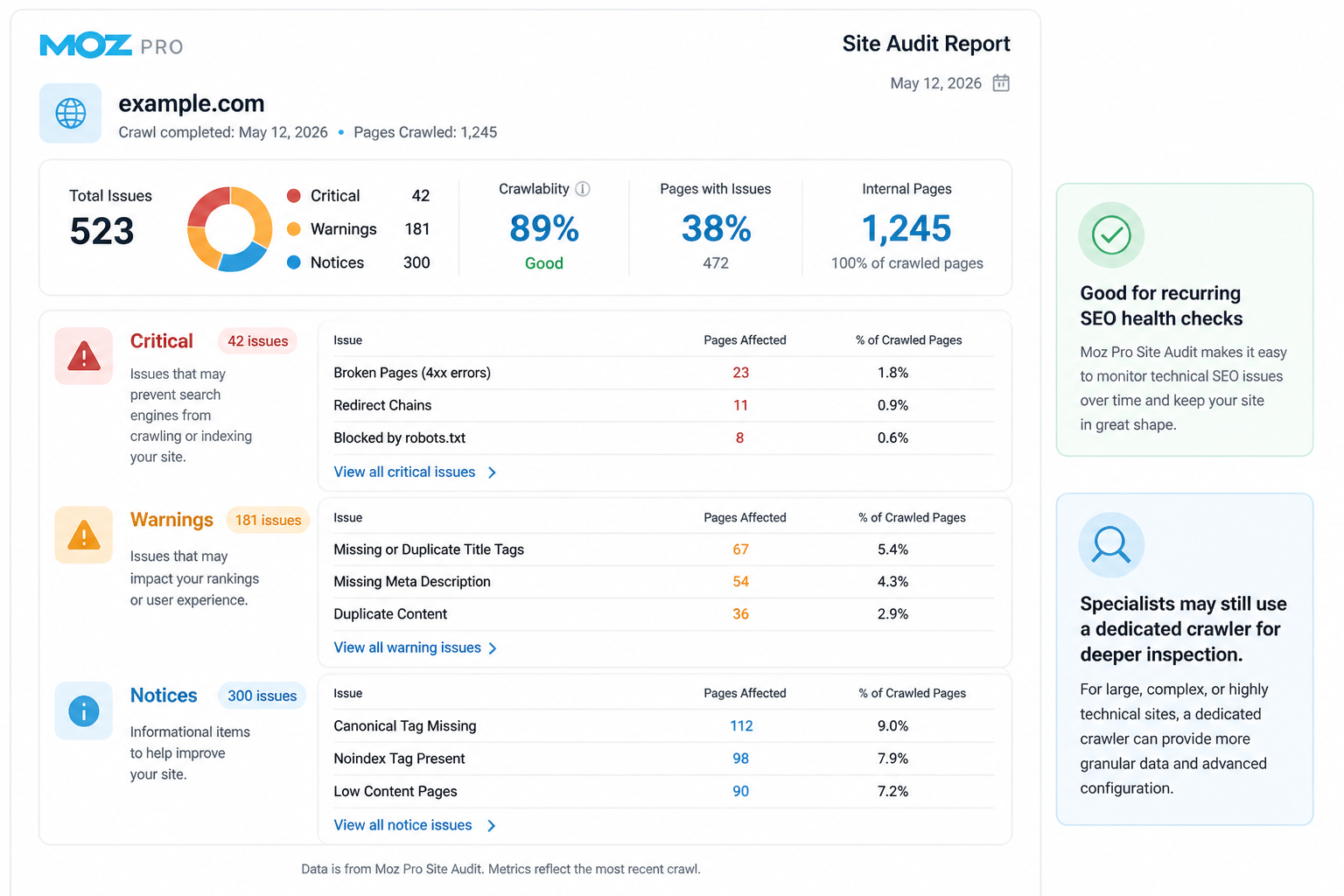
Moz caught the usual technical issues you would expect: missing tags, crawl problems, duplicate content signals, redirect weirdness, and other common on-site errors. For a small business site, that is often enough. The report gives you a solid punch list. You can hand it to a developer or work through it yourself.
Where I felt the ceiling was in flexibility and depth. When I wanted a more crawler-first experience, more customization, or more advanced inspection, Moz felt lighter than tools built specifically for technical audits.
So this part comes down to your workflow:
- If you want recurring SEO health checks inside one dashboard, it does the job.
- If technical SEO is a major part of your business, you will probably want another crawler in the stack.
That pattern came up a lot. Moz is convenient. Specialists still tend to stack extra tools around it.
Backlink data is where the value gets more debatable
I wanted this area to surprise me. It mostly did not.
The backlink tools are usable. You can review your own profile, compare domains, spot some opportunities, and get a decent sense of authority trends. For general monitoring, that is enough. If your site is content-led and link building is not your whole strategy, you may be perfectly happy here.
But if links are central to your work, Moz usually stops being the obvious pick. A lot of SEO pros still reach for other platforms first when they need deeper link intelligence, fresher indexes, or more advanced prospecting angles.
This was one of the clearest “depends who you are” sections in my testing. For a founder who just wants to keep an eye on link growth, fine. For a link builder or competitive SEO operator, less convincing.
The on-page suggestions are good for teams that need guardrails
I have mixed feelings about SEO recommendation engines in general. They can be helpful. They can also create weird copy that reads like it was assembled by a checklist.
Moz lands in the helpful middle when used with some common sense. If you have writers, editors, or junior marketers who need direction, the page optimization features can speed up reviews. They make it easier to say, “Here’s what this page is missing” without rewriting the whole strategy from scratch.
If you already know how to optimize pages based on search intent, SERP format, internal linking, and actual competitor patterns, the recommendations can feel a little generic. Not wrong. Just not magical.
That said, generic-but-useful can still save time. Sometimes that is all a tool needs to do.
Who gets the most value from Moz Pro in 2026
After working through the core tools, I kept coming back to the same three buyer types.
- Solo consultants who need research, tracking, and reporting in one place
- Small agencies with a manageable number of client campaigns
- Business owners running SEO in-house without wanting a more complex stack
If that sounds like you, the $199 plan can be reasonable because it reduces tool sprawl. One login. One workflow. Fewer subscriptions to justify.
There is also a less obvious win here: lower mental overhead. Some SEO tools are powerful but exhausting. Moz has always been easier to pick up. That still counts for something, especially when SEO is one part of your week, not your whole job.
Who probably should skip it
I would skip Moz Pro, or at least hesitate hard, if any of these are true:
- You mainly need elite backlink research
- You run large-scale technical SEO audits every week
- You manage a big agency and need lots of tracking capacity
- You already pay for separate best-in-class tools that cover the same jobs better
- You only need one narrow feature, like rank tracking or keyword research
This is where the bundle can work against it. Bundles are great when you use most of the pieces. If you only really care about one or two modules, $199 starts looking expensive.
The real pricing question: does it save enough time to justify $199?
This was the question I kept testing against.
For me, software value usually comes down to one of three things:
- it helps me find opportunities I would have missed
- it cuts repetitive work
- it makes reporting or execution faster
Moz does the second and third pretty well. The first one, it does well enough, but not always better than competing tools.
If Moz saves you three to five hours a month by centralizing workflows, the price can make sense quickly. If you keep hopping out to other platforms for deeper analysis, the value drops. At that point you are paying for convenience while still doing specialist work somewhere else.
That was my